
Project cost, budget and billable hours for Jira
Know which Jira projects make money before the budget is gone. Biller Plus turns the time your team already logs in Jira into project cost, billable value, budget burn, forecasts and margin, and alerts you before a project goes over budget.
Coming soon to the Atlassian Marketplace
Read how every number is calculatedAcme Portal Rebuild
Fixed fee, sample data
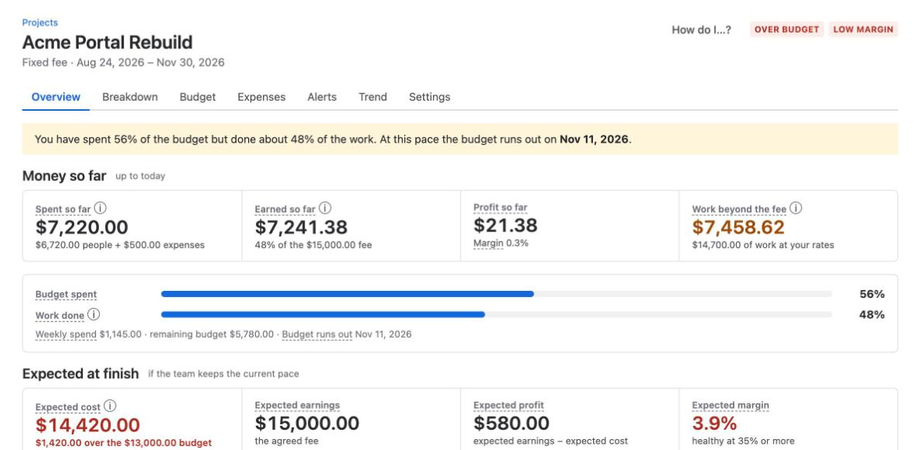
Expected cost at finish
$14,420
$6,720 spent on people + 90 remaining hours × $80 + $500 expenses = $14,420
Spending runs ahead of the work, so the alerts fire before the budget is gone. The marks show the alert levels: 50, 75, 90 and 100% of the budget.
Where did the money go?
Timesheet apps answer “where did the hours go?” Biller Plus answers “where did the money go?”
Biller Plus is project finance for teams that bill clients from Jira: agencies, consultancies and internal service teams. It reads the worklogs your team already logs in Jira. There is no second timesheet.
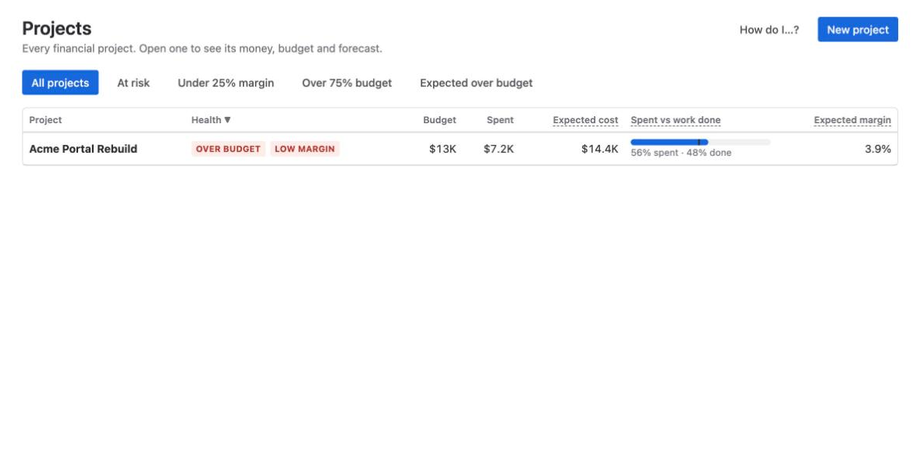
Know which projects make money
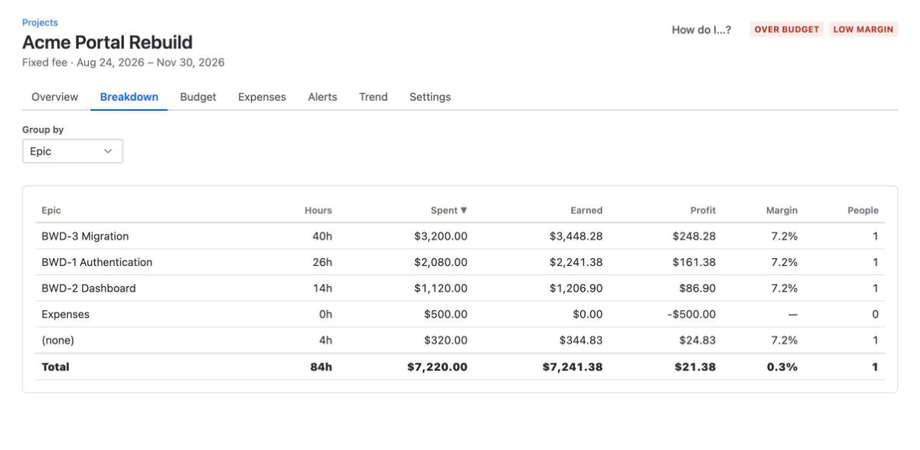
Cost, earned value, profit and margin for every project, client and Epic, straight from Jira worklogs.
Catch overruns before they happen
Forecasts show where each budget ends up. Alerts at 50, 75, 90 and 100% of the budget, or when margin drops, name the Epic that caused it. Get them in Jira, by email, Slack or Microsoft Teams.
Every Jira hour becomes money
Rates by person, role, client or project turn every hour into money. Invoices follow the budget model (hourly, fixed fee, milestones, retainer), with PDF and Xero or QuickBooks Online import files.
One sample project, from hours to margin
These are the figures from the screenshots above. Each line follows the published formulas.
| Step | How | Amount |
|---|---|---|
| People cost | 84h × $80 average cost rate | $6,720.00 |
| Spent so far | People cost + $500 expenses | $7,220.00 |
| Earned so far | $15,000 fee × 48.28% work done | $7,241.38 |
| Profit so far | Margin 0.3% | $21.38 |
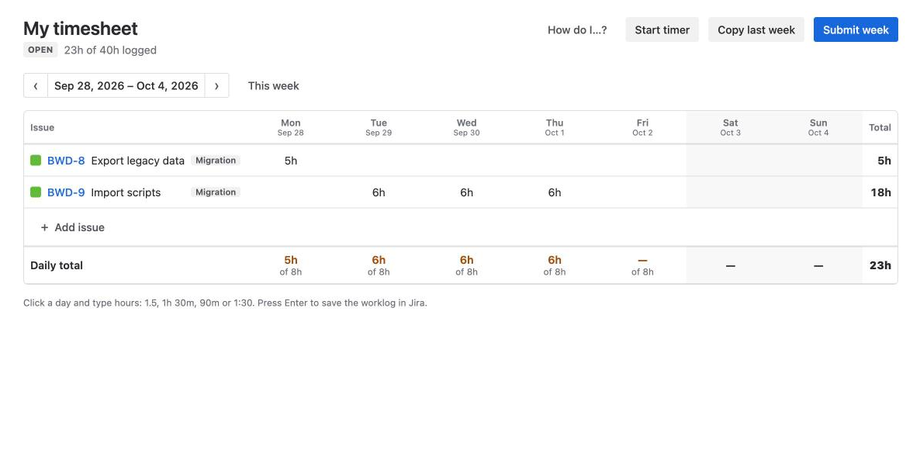
No second timesheet
People keep logging time in Jira. If your team needs a weekly view, the timesheet sits on top of Jira worklogs, with submit and approve.
What to check before you install
- How the numbers work
- Biller Plus is deterministic: the same worklogs, rates and settings always give the same numbers. Every number traces back to the worklogs that produced it.
- Where the data is
- App data stays in your Atlassian site's Forge storage, with one database per installation. Data leaves Atlassian only for email alerts and the optional Slack and Teams alerts.
- What is stored
- The privacy policy lists each kind of data and why the app keeps it. Biller Plus uses no third-party analytics, tracking or advertising.
- Who answers
- Email support, read by a person.